01CMS Development · India

CMS Development Company in India

A content management system is the login screen behind your website. You open it, change a price, add a page, publish a notice, and it appears. Without one, every small edit becomes an email to a developer and a two-day wait.

GIT Infosys has been building these since 2010 from our office in Jaipur, for companies spread across the country. WordPress where it fits, headless where content has to reach more than one place, and a custom panel written in PHP and Laravel when neither will do.

What we care about most is the admin screen. Most handovers dump the default dashboard on a client and walk away, which is why so many businesses stop using their own CMS inside a year. Ring +91 89630 03037 and we will talk through what your team actually needs to change.

WordPress Content
Headless Website + App
LOGIN SCREEN
Change a price 01
Add a page 02
Publish a notice 03
It appears.
02Our Services

CMS Development Services in India

01

WordPress CMS Development

Right for the large majority of businesses. Custom theme rather than a marketplace template, with editing blocks made for your kind of content and a dashboard cut back to what your staff use. Around four in ten sites worldwide run on it, so finding help later is never a problem.

Includes: coded theme, content blocks, media handling, user roles, search setup, staff training.
02

Custom CMS Development

Written from scratch when your business does something no platform models properly. Approval chains that follow your org chart, pricing visible only to certain logins, or content tied to an internal system. No licence fee, no plugin you did not choose, and nothing breaking because a stranger abandoned their code.

Includes: bespoke panel, custom content types, permissions, database design, API layer, written documentation.
03

Headless CMS Development

Content stored in one place and delivered by API to a website, an app and anything else that needs it. Quick to load and clean to scale. It costs more at the start and front-end changes need a developer, so it earns its place only when content really does go to several destinations.

04

Ecommerce CMS

WooCommerce, Shopify, Magento, OpenCart or something custom, with products, stock, pricing, offers and orders in a single screen. Adding a product should take two minutes and no instruction sheet.

05

Multi-Branch and Multi-City Content

One panel controlling separate pages for each branch or city, with shared content inherited and local details editable. It stops the familiar mess where somebody copied a page eleven times and then updated three of them.

06

Regional Language and Multilingual Sites

Hindi, Tamil, Marathi, Gujarati, Bengali and others, or English alongside a buyer language for export markets. Proper language versions with their own URLs, not a translate widget bolted onto the corner of the page.

07

CMS Migration

Coming off Wix, Blogger, Joomla, Drupal or an old custom build. Pages, images, users and URLs all carried over, with 301 redirects mapped before the switch. Cheap migrations skip the redirect map, and that is precisely how a site loses eight years of rankings in a weekend.

08

Roles, Permissions and Approvals

A writer publishes drafts and nothing else. A manager approves them. Accounts sees neither. Where the content is medical, legal or financial, we add a review step with a record of who signed off what.

09

Integrations

Linking the CMS to Tally, an ERP, Zoho or Salesforce, WhatsApp Business, a payment gateway or a courier system, so nobody on your team types the same information into two screens every morning.

10

Security and Maintenance

Updates applied on staging first, daily backups, malware scanning, login limits and uptime monitoring. Almost every defaced business site in this country is simply an installation nobody touched for two years.

11

Speed Work

Caching, image conversion, database clean-up, deferred scripts and removing whatever loads on every page for no reason. A CMS site can pass Core Web Vitals easily. Most fail because nobody tuned them after launch day.

12

Training and Documentation

A recorded session with your team and a short written guide using screenshots from your own site. New joiners watch the recording rather than asking whoever has left.

03Why Choose Us

Why Choose GIT Infosys for CMS Development

The panel gets designed, not just installed.

01

The panel gets designed, not just installed

We sit with whoever updates the site, learn what they change and how often, then build the screen around that. Fields labelled in your words. Settings that could break something removed entirely. It takes us longer and it is the reason clients still use their CMS in year four.

02

Nothing is locked to us

Source code, database, hosting and domain in your name from day one. No proprietary platform only we can service, no annual licence payable to us. Move to another developer whenever you like and everything continues working.

03

The platform choice is about you

Some firms build only WordPress. Others sell a system of their own with a monthly fee attached, which is a business model rather than a recommendation. We build all three kinds, so what we suggest on the first call depends on your content volume, your team and your budget.

04

Search built in, not added later

Heading structure, schema, sitemap, URL patterns and Core Web Vitals handled during the build. Retrofitting these afterwards costs more and occasionally means rebuilding pages you have already paid for.

05

Thirty days of free changes after launch

Every project finds a few things nobody thought of until the site was real. That month is included, so you are not raising invoices over small adjustments in week two.

06

Sixteen years at one address

GIT Infosys Pvt. Ltd. has been a registered private limited company since 2010, at Govindam Tower, Kardhani, Kalwar Road in Jaipur, with offices in Wembley, London and West Chester, Pennsylvania. When you need a change three years from now, there is still somebody here who knows how your site was put together.

04Comparison

WordPress, headless, or custom?

Comparison WordPress Headless CMS Custom build
Build cost ₹25,000 to ₹75,000 ₹80,000 upwards ₹1,00,000 upwards
Who can update content Anyone Anyone Anyone
Who can change the design Any developer A front-end developer Your developer or us
Plugins and add-ons Huge choice Limited Whatever you build
Speed Good when tuned Excellent Excellent
Feeds a mobile app too With work Yes, natively Yes
Best for Most businesses Content across many channels Unusual business rules

For an ordinary business publishing pages and articles, WordPress is the answer, and anybody insisting otherwise usually has something of their own to sell. Headless pays off when one piece of content has to appear in three places. Custom pays off when your workflow genuinely will not bend to fit a platform.

05How We Work Across India

Working With Teams in Any City

01

Your staff try the panel before launch

You get a login to the staging site early, and we ask your team to add real content in it. Awkward things surface immediately, while changing them is still free.

02

Training over video, recorded and kept

Staff turnover is the quiet killer of every CMS project. A recording plus a written guide means the knowledge stays with the company rather than with one person.

03

One project manager, one number

Reachable 9.30am to 6.30pm IST, Monday to Saturday, with WhatsApp for anything urgent outside those hours.

04

Fixed price, staged payments

Scope and dates agreed in writing before the first instalment. Anything added mid-project is quoted and scheduled before it gets built.

06Our Projects / Portfolio

Our Projects

Notera Lifestyle Ecommerce Website
CMS Build 01

Notera Lifestyle Ecommerce

A refined product-focused website built for lifestyle products, visual storytelling and smooth catalogue management.

Sogani Jewels Website
CMS Build 02

Sogani Jewels

A premium jewellery website focused on elegant brand presentation, product collections and easy content management.

Periwinkle Craft Ecommerce Website
CMS Build 03

Periwinkle Craft

A colourful ecommerce platform for handcrafted fashion products with organised collections and simple product updates.

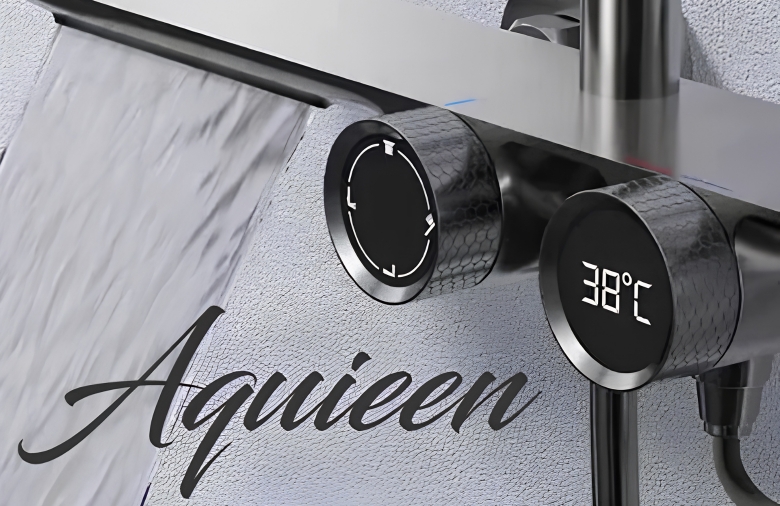
Aquieen Bathroom Solutions Website
CMS Build 04

Aquieen Bath Solutions

A modern product catalogue website created for bathroom fittings, premium fixtures and structured product presentation.

Surabhi Raj Luxury Pret Website
CMS Build 05

Surabhi Raj Luxury Pret

A fashion-led website designed for luxury ethnic wear with strong visual presentation and manageable product collections.

Pink Delight Food Products Website
CMS Build 06

Pink Delight Food Products

A product-driven food brand website built to showcase packaged pulses, grains and retail products in a clear catalogue structure.

07Industries We Serve

Who We Build Admin Panels For

CMS Admin Panels
01

Manufacturing and Industrial

Specification tables, datasheet downloads, dealer directories and revision-heavy technical pages. The person updating these is usually an engineer with ten minutes to spare, so obvious beats clever.

02

Hospitals and Clinics

Doctor profiles, departments, timings and health articles, with an approval step because nothing medical should reach the public unread by somebody qualified.

03

Schools, Colleges and Coaching

Courses, batches, faculty, fee tables, notices and results. During admission season you cannot wait three days for a developer to publish one date.

04

Real Estate and Construction

Projects, floor plans, price lists and possession dates, updated every quarter by a sales team that should never need a developer to do it.

05

Hotels and Travel

Rooms, seasonal rates, packages and offers, edited by the front desk, with enquiries reaching a named inbox instead of a shared one nobody opens.

06

Publishers and News

Several authors, an editorial queue and archives that have to stay quick as they pass fifty thousand posts. Database design matters far more than design here.

07

Export and Trading Houses

Catalogues in two languages, certification pages and bulk enquiry forms, often with a separate buyer view for overseas customers.

08

Government and Public Bodies

Notices, tenders, circulars and archives, with accessibility requirements and a publishing trail showing who approved each item.

09

NGOs and Trusts

Projects, reports, galleries, events and donation pages, run by volunteers who change every year. Simplicity is the whole brief.

10

Retail and Ecommerce

Catalogue, stock, offers and orders in one screen, with GST invoicing configured correctly from the first sale rather than corrected later.

Not on this list? Ring us. We have almost certainly built something close.

08Our Process

How We Build Your CMS in 30 Days

Five stages of six working days each, with the dates written down before you pay anything.

01

Stage 1 · Who Uses It, and For What · Days 1 to 6

We talk to the people who will actually log in. What changes weekly, what changes yearly, what they are afraid of breaking. Then a platform recommendation with the reasoning attached, and an honest look at what your current site does badly.

We need from you: half an hour with whoever updates the site.
You get: a platform recommendation, a page plan, a fixed quote and dates.
02

Stage 2 · Content Model · Days 7 to 12

Content types, the fields inside each, URL patterns and who is allowed to touch what. This stage is unglamorous and it decides whether you need a developer for small changes forever.

We need from you: existing content, images and sign-off on the page list.
You get: sitemap, content model and permission structure.
03

Stage 3 · Design · Days 13 to 18

Public pages and admin screens both. Designing only the front end is the standard shortcut, and it is why so many dashboards go unused.

We need from you: one round of feedback inside two working days.
You get: designs for phone and desktop, plus the panel layout.
04

Stage 4 · Build and Content Move · Days 19 to 26

Theme or panel coded, content types created, permissions applied, old content migrated and redirects mapped. Your team gets a staging login and can start loading content before launch.

You get: a working CMS on staging and a written change log.
05

Stage 5 · Training, Launch, Handover · Days 27 to 30

Domain switched, SSL live, backups scheduled, analytics and Search Console verified. Then the recorded training session, the written guide and thirty days of free changes.

You get: every account in your name, the source code and the documentation.
09Pricing / Packages

CMS Development Pricing

WordPress

₹25,000 to ₹75,000

Best for: Most businesses

  • Who can update content: Anyone
  • Who can change the design: Any developer
  • Plugins and add-ons: Huge choice
  • Speed: Good when tuned
  • Feeds a mobile app too: With work
Headless CMS

₹80,000 upwards

Best for: Content across many channels

  • Who can update content: Anyone
  • Who can change the design: A front-end developer
  • Plugins and add-ons: Limited
  • Speed: Excellent
  • Feeds a mobile app too: Yes, natively
Custom build

₹1,00,000 upwards

Best for: Unusual business rules

  • Who can update content: Anyone
  • Who can change the design: Your developer or us
  • Plugins and add-ons: Whatever you build
  • Speed: Excellent
  • Feeds a mobile app too: Yes
10Our Team

Teams Section

Project Lead
01

Project Lead

Keeps scope, dates, feedback and handover moving through one clear point of contact.

CMS Engineer
02

CMS Engineer

Builds content types, permissions, integrations and the admin experience your staff use.

UI Developer
03

UI Developer

Turns approved layouts into responsive public pages and clean editing components.

QA & Launch
04

QA & Launch

Checks content flows, redirects, devices, backups and launch handover before go-live.

12FAQ

Frequently Asked Questions

It is the back office of your website. You log in, edit text, upload a photo, add a page or publish an article, and the public site updates itself. It exists so routine changes stop costing you a developer's time.

A custom WordPress build lands between ₹25,000 and ₹75,000 depending on page count and features. Headless setups start near ₹80,000. A fully custom panel begins at ₹1,00,000 and climbs with complexity. Number of content types and how unusual your permission rules are move the price more than page count does.

WordPress for most companies, because it is cheaper to build, cheaper to keep and easy to find help for. Headless when the same content feeds a site and an app together. Custom when your process genuinely will not fit anything ready-made. We give you the recommendation and the reason on the first call.

That depends entirely on how the panel is built, which is why we spend time on it. Fields named in your own words, dangerous settings removed, and training on your own site rather than a generic demo. Most teams are publishing confidently inside a week.

Not with a planned migration. Every existing URL is mapped to its replacement with a 301 redirect, content moves rather than being rewritten, and we watch Search Console for a month afterwards. Damage happens when someone skips the redirect map to save two days.

It is as safe as its upkeep. Nearly every hacked site was running an outdated core or a plugin nobody had updated. Keep it current, restrict logins, use real passwords and back it up daily. That is what our maintenance covers.

Thirty days for a standard business site. Six to ten weeks where there is a large content migration or several languages. Content collection slows projects far more often than code does, so start gathering yours in week one.

Yes. Code, database, hosting and domain, all in your name. There is nothing to renew with us and nothing that stops working if you go elsewhere.

Usually. We audit it first and tell you plainly whether repairing or rebuilding costs less. A WordPress site carrying twelve years of plugins is sometimes cheaper to rebuild than to untangle, and we will say so rather than billing you to find out slowly.

Most of our work is outside Jaipur. Staging links, video calls and recorded training make the distance irrelevant, and around half our clients we have never met. We also have offices in Wembley, London and West Chester, Pennsylvania.
13Contact / Get a Quote

Talk through what your team actually needs to change.

Ring +91 89630 03037 and we will talk through what your team actually needs to change.

+91 8963003037 gopal@gitinfosys.com